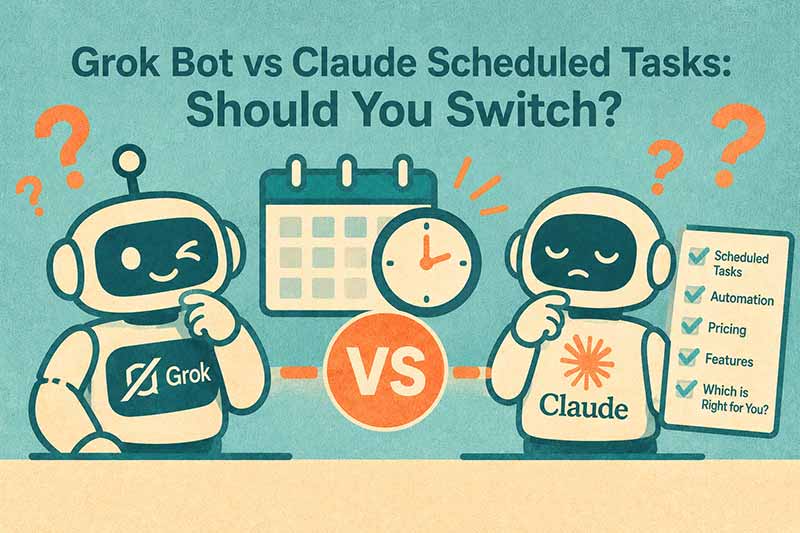
If your Grok Bot usage meter jumped this week, you’re not alone. Over the weekend of November 1, 2026, Grok Bot subscribers reported weekly allowances running out days early, and Elon Musk replied that “the cost of serving Grok Bot was unsustainably high relative to revenue.” Since then, a common question has come up: can Claude’s scheduled tasks do the same jobs instead?
The short answer is yes for many routines, and no for some. This guide lays out what each tool actually does, what each one costs, and a real example of moving a routine from one to the other, so you can make the call for your own business.
In this guide you’ll learn:
- What happened with Grok Bot usage, and what is and isn’t confirmed
- How Claude scheduled tasks compare to Grok Bot routines, side by side
- Whether switching actually saves money
- A real-world example from our own marketing
- How to move a routine step by step, and when you should stay put
New to Grok Bot? Start with our Grok Bot for small business marketing guide, which covers setup, Slack, and safety rules.
Full disclosure: Mediamato runs some of its own marketing on Claude scheduled tasks, and this article was drafted with Claude and then fact-checked by a person, following our Controlled AI Integration process. We’ve stuck to verifiable facts and linked every source so you can check them and decide for yourself.
What happened with Grok Bot usage limits?
Here’s what the reporting supports as of November 5, 2026:
- Meters jumped fast. Subscribers reported weekly usage climbing sharply in a few hours, for example from 74% to 100%, and some said it rose while they weren’t using the service, according to Data Studios.
- Musk responded on November 1. In a reply to a subscriber who had used up their week with four days to go, he wrote that serving Grok Bot cost too much relative to revenue. He gave no figures.
- A billing glitch overlapped. Cursor, which shares the same weekly allowance, reported a billing and usage dashboard problem on November 1. Tech Times notes it isn’t clear whether the glitch caused the jumps.
- Whether limits were cut is disputed. Tech Times, citing Business Insider, reports Musk described a reduction as “just being sensible.” Data Studios found the official plan pages unchanged as of November 2.
Before you move anything: export your Grok Bot usage history and check whether the jump lines up with real activity. If it doesn’t, it may be the glitch, and it’s worth raising with support before rebuilding your workflow.
What are Claude scheduled tasks?
A Claude scheduled task is a saved set of instructions that Claude runs on a schedule you choose. According to Claude’s help center:
- Schedules: hourly, daily, weekly, weekdays, or on demand.
- Your computer can be off. Tasks run remotely, even when your computer is asleep or the Claude desktop app is closed. Tasks that need local files or apps are the exception and run on your computer.
- Your tools come along. Tasks can use your connected apps (connectors), skills, and plugins.
- Every run starts fresh. Each run is its own session, and you review the results like any other Claude task.
- Who gets it: all paid plans: Pro, Max, Team, and Enterprise.
You can create one by describing the job to Claude in plain language, or set it up by hand from the Scheduled page with a name, instructions, an approval mode, and a frequency. Developers have a cloud version in Claude Code too, with a one-hour minimum interval.
Grok Bot vs Claude scheduled tasks: side by side
They’re built differently. Grok Bot gives you persistent, named AI workers on a shared cloud computer. Claude scheduled tasks are instructions that start a fresh Claude session on a clock.
| Feature | Grok Bot | Claude scheduled tasks |
|---|---|---|
| Entry price | $30/month (Premium) | $20/month, or $17/month billed yearly (Pro) |
| Higher tiers | $100 (Super) and $200 (Ultra) | $100 and $200 (Max) |
| How usage works | Weekly allowance shared with eligible Grok and Cursor services; extra usage can be bought on some plans | Shared with your Claude chat and other Claude work; scheduled and agent work uses it faster |
| Runs on a schedule | Yes | Yes: hourly, daily, weekly, weekdays |
| Starts from events | Yes: Slack messages, reactions, keywords, webhooks | Not in the standard scheduler; developers can trigger Claude Code tasks by API or GitHub events |
| Memory between runs | Yes, each bot keeps context | No, each run starts fresh unless you point it to a saved doc or file |
| Saved website logins | Yes, on the bots’ shared cloud computer | No, its built-in browser is separate from your logins; it uses connectors instead |
| Works with computer off | Yes | Yes (except tasks that need local files) |
| Best at | Always-on teammates that react to events and work inside websites | Clock-based research, reports, and drafts, especially if you already pay for Claude |
Sources: Grok Bot plan prices via Data Studios, Grok Bot routines help, Claude scheduled tasks help, Claude pricing, and DataCamp’s comparison. Prices and limits change often, so confirm them before you buy.
Is switching to Claude actually cheaper?
Sometimes, but not automatically. Here’s the honest math:
- The entry price is lower. Claude Pro is $20 a month against $30 for Grok Bot Premium. If you already pay for Claude, scheduled tasks cost nothing extra.
- Allowances aren’t directly comparable. Neither company publishes how many tasks a plan covers, so “more automation per dollar” can’t be proven either way.
- Claude has usage complaints too. A reviewer who uses both tools daily called Anthropic the stingier of the two and reported using half a weekly limit in one day on the top plan. Claude’s agent work also shares one pool with your everyday chats, as DataCamp points out.
The bigger savings usually come from how a routine is designed, not which tool runs it. Grok Bot’s own routines help page warns that hourly schedules and Slack triggers on busy channels can use up a week of usage in a single day. The same principle applies on Claude: every run costs usage.
Six ways to cut automation usage on either tool
- Run less often. Daily or weekly beats hourly for almost every marketing report.
- Narrow your triggers. Trigger on a mention or a keyword, never on every message in a busy channel.
- Give each routine one job. A focused task finishes faster than a do-everything one.
- Cap the reading. Name the exact pages to check instead of “research the web.”
- Cap the output. “Five bullets max” is cheaper and more useful than a long report.
- Pause what you don’t read. If nobody opened last week’s report, turn it off.
A real-world example: our daily marketing brief
Here’s a Claude scheduled task we actually run at Mediamato. It’s the kind of job people typically build as a Grok Bot routine.
The job: every weekday at 7:57 a.m., a scheduled task prepares a marketing brief. It picks a business segment based on the day of the week, finds five small businesses whose websites show real, observable issues, and checks each homepage to confirm them. Then it drafts a short outreach email for each, a LinkedIn post, a 30-second video script, and a quick check of how Mediamato shows up in search. It sends a phone notification when the brief is ready.
The guardrails: it drafts only. It never sends an email, posts, fills out a form, or contacts anyone. It researches businesses, not people, and it may only report issues it actually saw on a page. A person reviews everything and spends 30 to 60 minutes acting on it.
Why it fits a scheduled task: it runs on a clock, not in response to an event. It doesn’t need to log in to any website. And it doesn’t need memory between runs, because each morning’s brief stands on its own.
Before and after: moving a competitor-research routine
In our Grok Bot guide, the first bot we recommend is Scout, a competitor researcher. Here’s its original job description:
You are Scout, the competitive researcher for [Company], a [type of business] serving [audience].
Every Monday at 8 a.m. [time zone], visit these competitor sites: [URL 1], [URL 2], [URL 3].
Compare their homepage, pricing page, and blog against last week.
Report only meaningful changes: new offers, price changes, new products, new messaging angles.
Output: 5 bullets max, each with the change, the link, and one sentence on what it means for us.
Post the report to #mkt-bot-reports.
Never log in to any competitor site, submit forms, or contact anyone.
Two things change for a Claude scheduled task. The schedule moves into the task settings, and because each run starts fresh, “against last week” needs a saved record to compare with. Here’s the rewritten version:
You are the competitive researcher for [Company], a [type of business] serving [audience].
1. Open the doc "Competitor Log" in [Google Drive or Notion] and read last week's entry.
2. Visit these pages: [URL 1 homepage], [URL 1 pricing], [URL 2 homepage], [URL 2 pricing], [URL 3 blog].
3. Report only meaningful changes since last week's entry: new offers, price changes, new products, new messaging angles.
4. Output: 5 bullets max, each with the change, the link, and one sentence on what it means for us. If nothing changed, say so in one line.
5. Add today's findings to the top of "Competitor Log" with today's date.
Rules: never log in to any competitor site, submit forms, buy anything, or contact anyone.
Then set the frequency to weekly (Mondays) in the task settings. Notice the prompt also names exact pages instead of whole sites, which keeps every run smaller.
How to move a Grok Bot routine to a Claude scheduled task
- List your routines. For each one, write down its schedule or trigger, the tools it uses, where its output goes, and how often you actually read it. Check your weekly usage page to see which routines cost the most.
- Pick the clock-based ones. Routines that run on a schedule and produce a report or draft are the easiest to move. Leave event-triggered routines (like “when someone posts in #leads”) on Grok Bot for now.
- Rewrite the instructions to stand alone. Each Claude run starts fresh, so include who the business is, the exact pages or sources, the output format, the “never” rules, and where to save anything it needs to remember.
- Connect the tools it needs. Add the connectors the task uses, such as your email, calendar, or document storage, in Claude’s settings. Give it the least access that does the job.
- Create the scheduled task. Open Scheduled in the sidebar and choose New task, or simply ask Claude to set it up. Pick the frequency and an approval mode that asks before anything risky.
- Run it once on demand. Check the output against what your Grok Bot routine produced, and tighten the instructions where it drifted.
- Run both for one week, then decide. Compare output quality and usage on both sides. If Claude’s version holds up, pause the Grok Bot routine instead of deleting it, so you can switch back.
Whichever tool you use, keep a person on the final send. The rule from our original guide still applies: AI can draft, research, and recommend, but a human approves anything that publishes, spends money, or contacts a customer. For more on why, read Vibe Coded Into a Corner.
When Grok Bot is still the better choice
Moving everything isn’t the goal. Stay with Grok Bot for jobs that need:
- Event triggers. Routines that start from a Slack message, a reaction, or a webhook.
- Saved logins. Work inside websites that don’t have a connector, using the bot’s signed-in browser.
- Memory. A bot that learns your preferences over weeks without you maintaining a log.
- A bot team. Several named bots handing work to each other in one thread.
- Your existing plan. If you already pay for The X Subscription or Cursor for other reasons, the bots may be the better value.
Choose Claude scheduled tasks when the job runs on a clock, produces a report or draft, works through connected apps, or when you already pay for Claude. Many businesses will end up using both: as one reviewer who uses both daily puts it, “Grok Bot carries your pocket. Cowork carries your desk.”
Frequently asked questions
Can Claude do what Grok Bot does?
For many routines, yes. Claude scheduled tasks can run research, reports, and drafts hourly, daily, weekly, or on weekdays, even with your computer off. Grok Bot still does some things Claude’s scheduler doesn’t, like starting from Slack messages, keeping memory between runs, and working inside websites with saved logins.
Did Grok Bot cut its usage limits?
It isn’t fully confirmed. Musk said on November 1, 2026, that serving Grok Bot cost too much relative to revenue, and some reports say he described a reduction, but xAI’s plan pages were unchanged as of November 2. A Cursor billing dashboard glitch on the same day may explain some of the usage jumps.
Is Claude cheaper than Grok Bot?
Claude’s entry plan is cheaper: Pro is $20 a month, compared with $30 for Grok Bot Premium. Neither company publishes how much automation each plan covers, and Claude’s scheduled tasks share one usage pool with your everyday chats, so the real cost depends on how often your routines run and how much each one does.
Do Claude scheduled tasks run when my computer is off?
Yes. Claude scheduled tasks run remotely, so they keep their schedule when your computer is asleep or the desktop app is closed. The exception is a task that needs files or apps on your own computer, which runs only there.
Which Claude plans include scheduled tasks?
All paid plans include them: Pro, Max, Team, and Enterprise. On Team and Enterprise plans, an admin controls access.
Can I run Grok Bot and Claude at the same time?
Yes, and it’s a sensible way to test. Run the same routine on both for a week, compare the output and the usage, and pause whichever one you don’t need rather than deleting it.
The bottom line
The Grok Bot usage scare is a good prompt to audit your automations, not a reason to panic. Most of the savings come from running routines less often, narrowing what they read, and pausing what nobody uses. If a routine runs on a clock and produces a draft or report, a Claude scheduled task can very likely take it over, and the test costs you one week. If it depends on Slack triggers, saved logins, or memory, Grok Bot is still the stronger fit.
Your next step: pick your most expensive scheduled routine, rewrite it with the steps above, and run it on Claude for one week alongside the original. And if your automations are bringing in leads, make sure your website is ready for them: get a free site check and we’ll show you the three fixes that matter most.
Sources and further reading
- Forbes: Musk says Grok Bot costs were “unsustainably high” (November 2, 2026)
- Tech Times: Musk defends tighter Grok Bot limits (November 4, 2026)
- Data Studios: Grok Bot usage limits and plan prices (November 2, 2026)
- Grok Bot help: Routines
- xAI: Grok Bot
- Claude Help Center: Schedule recurring tasks
- Claude Code docs: Scheduled tasks
- Claude pricing
- DataCamp: Grok Bot vs Claude Cowork (September 15, 2026)
- Christopher Alarcon: Grok Bot vs Claude Cowork, a daily user of both decides (August 28, 2026)