“Your website is your most valuable digital asset — why build it on a foundation that actively works against you?”
If you’ve ever wondered why your WordPress website feels sluggish, scores poorly in Google’s Core Web Vitals, or collapses into chaos the moment you try something outside the drag-and-drop box — you’re not alone. Millions of business owners, marketers, and entrepreneurs have been sold the dream of easy, no-code website building through tools like Elementor, WP Bakery, and Divi. The pitch is seductive: drag, drop, publish. Done.
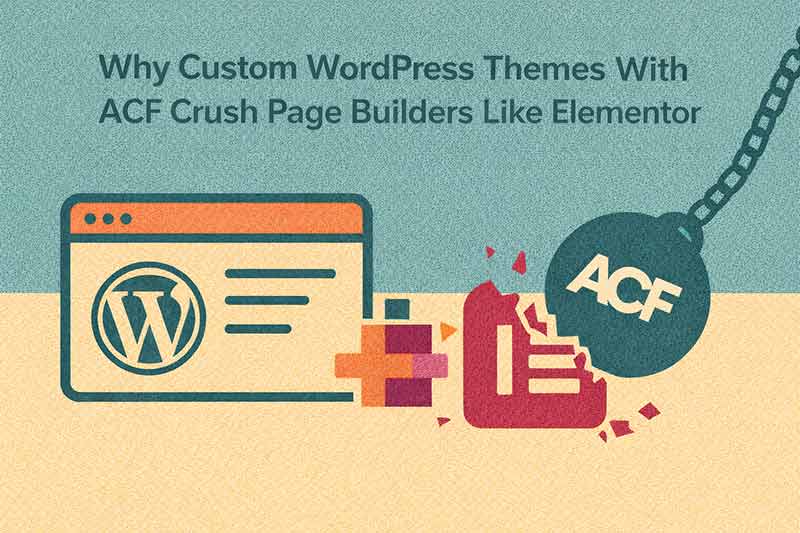
But behind the curtain of those pretty drag-and-drop interfaces lies a dirty secret: page builders are quietly sabotaging your website’s performance, SEO rankings, flexibility, and long-term scalability.
In this comprehensive guide, we’ll unpack exactly why professional web developers — including our team at our web design agency — recommend custom WordPress themes powered by Advanced Custom Fields (ACF) over page builders every single time. Whether you’re building a new site or planning a complete website redesign, this is the most important article you’ll read on the topic.
Key Stats at a Glance
| Metric | Impact |
|---|---|
| HTTP requests — Elementor vs. custom theme | Up to 6× more with Elementor |
| Users who abandon a page that takes 3+ seconds to load | 40% bounce immediately |
| Extra CSS classes added by Elementor per div | 300+ redundant classes |
| Conversion loss per 1-second delay | 7% fewer conversions (Google) |
| Typical Elementor PageSpeed score | 30–55 out of 100 |
| Typical custom theme PageSpeed score | 85–98 out of 100 |
Table of Contents
- The Bloated Code Problem — How Elementor Is Slowing Your Site to a Crawl
- SEO Consequences — Why Page Builders Hurt Your Google Rankings
- Creative & Design Limitations — You’re Building in a Box
- Global Styles, Branding Consistency & Design Systems
- Vendor Lock-In — What Happens When You Want to Leave
- The ACF Advantage — Custom Fields, Custom Power
- Maintenance, Security & Long-Term Scalability
- The Verdict — Custom Themes Win Every Time
1. The Bloated Code Problem — How Elementor Is Silently Killing Your Site Speed
Let’s start with the elephant in the room: page builders generate catastrophically bloated HTML, CSS, and JavaScript output. This isn’t a minor inconvenience — it’s a fundamental architectural flaw baked into how these tools work.
The Div Soup Nightmare
When Elementor renders a simple text block, it doesn’t output clean, semantic HTML. Instead, it wraps your content in layer upon layer of nested <div> elements — often 6–10 levels deep — each packed with proprietary class names, inline styles, and data attributes. Here’s what a basic Elementor paragraph looks like under the hood compared to a clean custom theme:
| Elementor Output | Custom Theme Output |
|---|---|
<div data-id="abc123" data-element_type="widget"> |
<p>Your content.</p> |
That’s not a niche edge case — it’s the norm. Multiply that across an entire page with 20–30 content blocks and you have an HTML document that is 3–5× larger than it needs to be — all data that must be downloaded, parsed, and rendered by every visitor’s browser before they see a single pixel.
The CSS Catastrophe
Elementor loads its entire CSS framework on every single page, regardless of whether that page uses 5% or 100% of those styles. Stylesheet files regularly exceed 400KB — before your own custom styles are added. For context, the entire stylesheet for a well-crafted custom WordPress theme can comfortably sit under 20–30KB.
In our testing across client projects we’ve delivered, migrating from Elementor to a custom ACF theme consistently reduces page weight by 60–80% and improves Google PageSpeed scores from the 30–50 range to 85–98 — without changing a single element of the visible design.
JavaScript Payload — The Performance Killer You Can’t See
Elementor bundles and loads a substantial JavaScript payload on every page load — including jQuery dependencies, animation libraries, and editor frontend scripts — even for visitors who will never touch the editor. This JavaScript must be downloaded, parsed, and fully executed before your page becomes interactive, directly inflating your Time to Interactive (TTI) and Total Blocking Time (TBT) — two of Google’s Core Web Vitals signals that directly influence your search rankings.
The Database Bloat Nobody Talks About
Elementor stores all page content as serialized JSON inside WordPress’s postmeta table. Every page, section, and widget configuration gets saved as a massive data blob. As your site grows, database queries slow down, admin screens become sluggish, and backups balloon in size. Worse, if you ever want to migrate to a different theme or platform, that JSON means absolutely nothing outside of Elementor — you’re starting from scratch.
Custom themes with ACF store content as clean, portable, structured field data — easily queryable, easily exportable, and completely framework-agnostic.
2. SEO Consequences — How Page Builders Are Costing You Google Rankings
Search engine optimisation isn’t just about keywords and backlinks. Google’s ranking algorithms have evolved to reward technically excellent websites — and page builders are engineering disadvantages into your site at a fundamental code level.
Core Web Vitals: The Ranking Signals You Can’t Ignore
Since 2021, Google has incorporated Core Web Vitals directly into its page experience ranking signals. Page builders consistently fail across all three key metrics:
| Core Web Vital | What It Measures | Elementor Impact |
|---|---|---|
| LCP — Largest Contentful Paint | How fast main content loads (target: under 2.5s) | Typically 4–8 seconds due to render-blocking CSS |
| CLS — Cumulative Layout Shift | Visual stability as the page loads | Inline styles cause elements to shift mid-render |
| INP — Interaction to Next Paint | How fast the page responds to clicks | Heavy JS payload delays interactivity |
Semantic HTML and Crawlability
Clean, semantic HTML is the bedrock of strong SEO. Search engine crawlers use heading hierarchy, landmark elements (nav, main, article, section), and proper link structures to understand your content. Elementor makes it trivially easy to produce broken heading hierarchies, skip landmark elements entirely, and bury meaningful content inside decorative nested divs that crawlers struggle to interpret correctly.
When we audit Elementor-built sites as part of our technical SEO and web design services, we almost universally find broken heading structures, missing landmark elements, poor schema implementation, and inaccessible components — all of which signal low content quality to Google.
Crawl Budget Waste
Googlebot allocates a crawl budget to every website — a limit on how many pages it processes per visit. Elementor’s bloated HTML means Googlebot processes significantly more data per page. On larger sites, this causes Google to crawl fewer pages per visit — meaning newer or deeper content gets indexed more slowly, or not at all. For service-based businesses, e-commerce sites, or content-heavy platforms, this is a direct impact on revenue.
Structured Data — Impossible to Implement Cleanly
Rich results — those enhanced Google listings with star ratings, FAQs, events, and product details — require precisely structured schema.org JSON-LD markup. Implementing this reliably in Elementor requires workarounds, third-party plugins, and constant maintenance. In a custom ACF theme, structured data is built directly into templates — automatically pulling from custom fields, always accurate, always up to date.
3. Creative & Design Limitations — You’re Building in a Box
The marketing pitch for page builders promises unlimited creative freedom. The reality is a carefully managed illusion. You have freedom within the walls of what the builder allows — and those walls are much closer than you think.
The Widget Dependency Trap
Every design element in Elementor depends on a specific widget. If the slider widget doesn’t support the interaction you need, you’re stuck. You either accept a compromise, install yet another plugin (adding more code bloat), or pay for a custom widget build. Contrast this with a custom ACF component: built exactly to spec, styled precisely to your brand, functioning exactly as required — with zero third-party widget dependencies.
Hover States, Animations & Micro-Interactions
Modern web design relies on subtle hover states, scroll-triggered animations, and micro-interactions to guide users and create memorable brand experiences. Elementor’s motion capabilities are surface-level at best. Building genuinely impressive, performant CSS animations and JavaScript-powered interactions requires hacking around the builder’s constraints — and those hacks routinely break on plugin updates.
See what’s genuinely possible when a skilled developer builds directly in code in our project portfolio — no builder limitations in sight.
Responsive Design — Controlled Chaos vs. Precision
Elementor gives you per-element breakpoint overrides — in theory, a way to manage different screen sizes. In practice, it becomes a maintenance nightmare. Every element has its own responsive settings, scattered across hundreds of individual widget controls. When your design needs updating, you’re chasing overrides across every widget on every page.
In a custom theme, responsive behaviour lives in the stylesheet. Change one rule, and the entire site responds correctly — instantly, everywhere.
Complex Data Structures & Custom Post Types
Real business websites aren’t just pages of text and images. They’re databases of team members, case studies, services, testimonials, locations, events, and portfolio pieces — all with custom fields, custom archive pages, and relationships between content types. Elementor was not built for this. Its “dynamic content” features are shallow wrappers over WordPress core functionality. ACF, paired with a custom theme, handles complex data architecture natively, cleanly, and with complete developer control.
4. Global Styles, Branding Consistency & Design Systems
This is one of the most compelling arguments for custom themes — and one of the most chronically underappreciated by business owners until they’ve experienced the difference firsthand.
What Global Styles Actually Means
In a professionally built custom WordPress theme, your typography, colour palette, spacing system, and component styles are defined once — in a design system — and applied everywhere automatically. Your primary heading font is declared in CSS and renders correctly on every page, every template, and every component, forever. Your brand’s primary colour is a CSS variable: change it in one place and it updates across thousands of elements instantly.
In Elementor, “global styles” exist in theory. In practice, they’re frequently overridden by per-widget inline styles, inconsistently applied, and impossible to audit comprehensively. After 12 months of content updates, most Elementor sites are a typographic and colour disaster under the surface — font sizes drifting across pages, slightly different button shades per section, inconsistent spacing that makes pages feel “off” without anyone being able to explain exactly why.
The Rebrand Scenario — A Tale of Two Workflows
| Task | Custom ACF Theme | Elementor Site |
|---|---|---|
| Update brand primary colour | Change one CSS variable — done | Manual updates across every widget on every page |
| Swap heading font | Two lines of CSS — done | Hunt through Global Font settings + inline overrides |
| Update button styles | Edit one component — all buttons update | Inline styles on hundreds of individual buttons |
| Total time for a rebrand | 30 minutes to 2 hours | Days to weeks, with errors remaining |
Learn more about how we approach design systems and brand consistency in our approach to web development.
5. Vendor Lock-In — What Happens When You Want to Leave Elementor
This is the hidden cost nobody talks about when you’re signing up for a page builder. Once your site is built in Elementor, it is effectively held hostage.
Your Content Becomes Elementor’s Content
All page content is stored as serialised JSON in the WordPress database — readable only by Elementor. If you ever need to migrate to a different theme, move to a headless architecture, or switch to a custom theme, your content is trapped in a proprietary format. You’re not migrating. You’re starting over completely.
Plugin Updates That Break Live Sites
Elementor releases updates frequently — and those updates regularly introduce breaking changes that corrupt existing layouts, alter styling behaviour, or conflict with other plugins. The Elementor ecosystem — Elementor Pro, third-party widget libraries, theme builder add-ons — creates a fragile stack where a single update can destabilise a live production website. We’ve rescued sites broken by exactly this problem — you can see some of those turnarounds in our portfolio.
The Subscription Trap
Elementor Pro runs on an annual subscription. Miss a payment or cancel, and you immediately lose access to Pro widgets, template functionality, and features — on your live site. Your business website’s operation is now dependent on maintaining a commercial relationship with a single third-party vendor.
With a custom theme, you own 100% of your code. There are no subscriptions, no renewals, and no vendor standing between you and your own website.
6. The ACF Advantage — Custom Fields, Complete Control, Clean Code
Advanced Custom Fields is the professional WordPress developer’s content modelling tool of choice. Paired with a custom theme, it creates a development approach that is simply in a different league compared to page builders.
What ACF Actually Enables
ACF allows developers to create structured, custom content fields for any post type, page, or user role. Instead of editors dragging widgets around a canvas, they work inside a clean, custom-built admin interface — filling in clearly labelled fields that feed directly into pre-designed, developer-controlled templates. The design always looks right. The content is always structured correctly.
| ACF Feature | What It Enables |
|---|---|
| Flexible Content Fields | Editors build page layouts by selecting from curated, pre-designed content blocks — full editorial flexibility with zero design risk |
| Repeater Fields | Structured, repeatable data — team members, testimonials, FAQs — managed cleanly and rendered through custom templates |
| Relationship Fields | Connect posts, pages, and custom post types semantically — power related content, dynamic navigation, and cross-referenced data |
| Options Pages | Site-wide settings — contact info, social links, global CTAs — stored once and available throughout the entire theme |
| ACF Blocks | Custom Gutenberg blocks that are developer-controlled, brand-consistent, and performance-optimised — the best of both worlds |
When we build client websites using ACF-powered custom themes, we deliver a content management experience that editors genuinely love — intuitive, clearly structured, and impossible to accidentally break the design. This philosophy is at the heart of how we work and the tools we choose.
ACF + Custom Post Types = A True Content Architecture
The combination of ACF custom fields with WordPress custom post types creates a content management system tailored specifically to your business. A law firm gets custom post types for practice areas, attorneys, and case results. A creative agency gets a portfolio post type with project details, services used, and a gallery — all feeding from ACF fields into beautifully designed, performance-optimised templates. This level of content architecture is simply not achievable with page builders without massive plugin stacks and compromised performance.
7. Maintenance, Security & Long-Term Scalability
The true cost of a page builder isn’t the subscription fee. It’s the compounding overhead that accumulates over the life of your website — in developer hours, security exposure, and architectural limitations that eventually force expensive rebuilds.
Security Surface Area — More Plugins, More Vulnerabilities
Every plugin installed on a WordPress site is a potential attack vector. Elementor and WP Bakery are among the most frequently listed WordPress plugins in security vulnerability reports — not because they’re necessarily poorly built, but because their enormous install bases make them high-value targets. The plugin ecosystems built around them multiply the attack surface dramatically. Custom themes with minimal, carefully vetted dependencies carry significantly smaller security footprints.
Technical Debt Accumulates Silently
Every shortcut taken with a page builder — every per-element inline style override, every third-party widget installed, every workaround implemented to achieve something the builder “almost” supports — adds to your site’s technical debt. Over 2–3 years, this compounds into a site that no developer wants to touch, that’s expensive to modify, and that eventually requires a complete rebuild. Our development tools and philosophy are built around clean foundations that stay maintainable years down the line.
Scaling Performance — Page Builders Don’t Scale
As websites grow — more pages, more content types, more traffic, more integrations — the performance problems of page builders compound. Caching solutions that work on simple sites struggle with Elementor’s database-heavy rendering. Server load increases. Time to First Byte degrades. What worked fine for a 10-page brochure site becomes a bottleneck for a 200-page business website. Custom themes, built with performance as a first principle, scale cleanly — because there is no unnecessary overhead to begin with.
8. The Verdict — Custom Themes With ACF Are the Professional Choice
Let’s be clear: page builders aren’t inherently evil. For a personal blog or a short-term landing page with no performance requirements, Elementor may be a reasonable choice. But for any website that needs to:
- Rank competitively in organic search results
- Load fast on mobile and score well in Core Web Vitals
- Reflect a consistent, professional brand identity
- Handle complex content types and custom data architecture
- Scale over years without accumulating technical debt
- Stay maintainable by developers without months of builder retraining
- Remain secure against known vulnerability exploits
- Give editors a clean, structured, intuitive CMS experience
…then a custom WordPress theme powered by Advanced Custom Fields isn’t just the better option — it’s the only professional option.
What You’re Really Paying For With Custom Development
When clients ask about the cost difference between an Elementor site and a custom ACF theme, we reframe the question: what is the cost of a slow website ranking on page three of Google? What is the cost of a rebrand that takes three weeks instead of two hours? What is the cost of a site compromised through a plugin vulnerability? What is the cost of starting completely over in two years because your page builder site can’t be salvaged?
Custom development is an investment — one that pays compounding returns in search visibility, conversion rates, editorial efficiency, and long-term stability. Read more about our process on our About Us page, see the results in our project portfolio, or explore our full range of web design and development services.
Ready to build something that actually performs? Let’s talk about your project.